Creating An Event
Events are scheduled activities such as races, rides, meetups, workshops, or club sessions.
Create An Event
- Open your club admin area.
- Choose
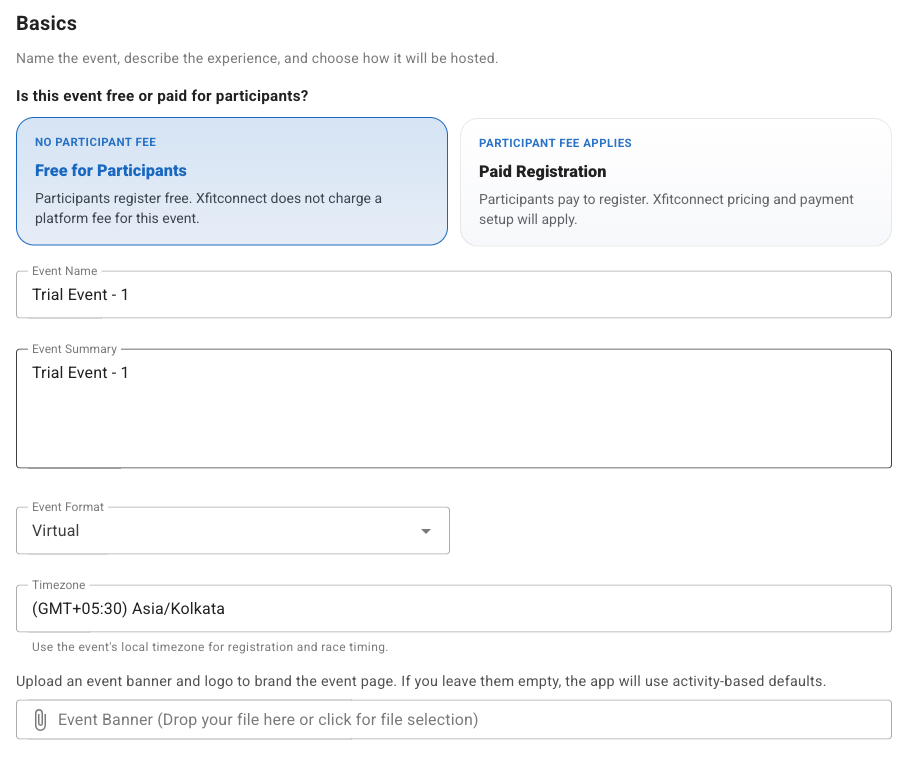
Create Event. - Add event name, date, location, and description.
- Configure registration settings.
- Choose whether registration is free or paid.
- Publish when the details are ready.
Event Categories
Use Categories to define the choices offered to participants. A standard category represents one
activity type and an optional target distance. A Multi-Leg category represents two or three related
activities, such as a Run and Ride.
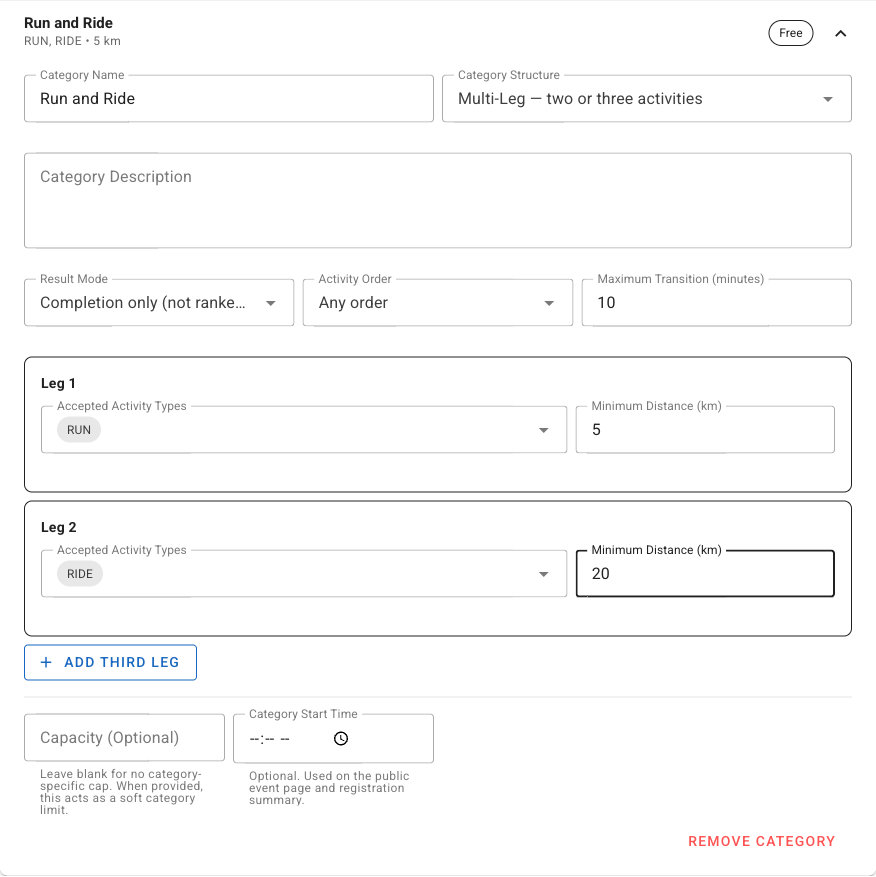
Create A Multi-Leg Category
- Open
Categoriesand add or expand a category. - Set
Category StructuretoMulti-Leg — two or three activities. - Choose a result mode:
Completion onlyrecords whether the participant completed every leg.Raceranks valid results using total elapsed time.
- Choose
Fixed orderwhen legs must occur in the displayed order, orAny orderwhen either chronological order is valid. - Enter the maximum permitted transition between one activity ending and the next starting.
- Configure the accepted activity type and minimum distance for every leg.
- For a ranked any-order category, acknowledge that different orders may not be competitively equivalent.
- Save the Event and reopen Categories to verify the configuration.
Activities must not overlap. Every activity and transition must fall within the Event’s configured result window. Multi-Leg authoring is shown only when it is enabled for the organizer and Event.
Paid Events
If your club is enabled for paid event features, you may configure participant fees and payment options.